

Emails, posters and reception briefings get missed. See the five tools behind Direct to Guest marketing, from push notifications and QR codes to guest logins, segments and one CMS.
Updated 4 October 2026
On this page
Guests expect clear, relevant information on their own phone, when they need it. Posters get walked past, emails get buried and reception ends up answering the same questions all day.
Direct to Guest marketing is our name for giving a venue one clear route to its guests, through its own branded app. Our strategy guide covers how to plan the guest journey. This article covers the tools behind it.

Without your own channel, you lose the chance to:
Ladram Bay Holiday Park
Push notifications send short updates to guests’ phones, such as arrival details, event updates or weather. For now they are for informational messages only. Offers, discounts and rebooking nudges belong in the app and on your screens. The Help Centre explains what you can send, and our push notification guide covers timing and wording.
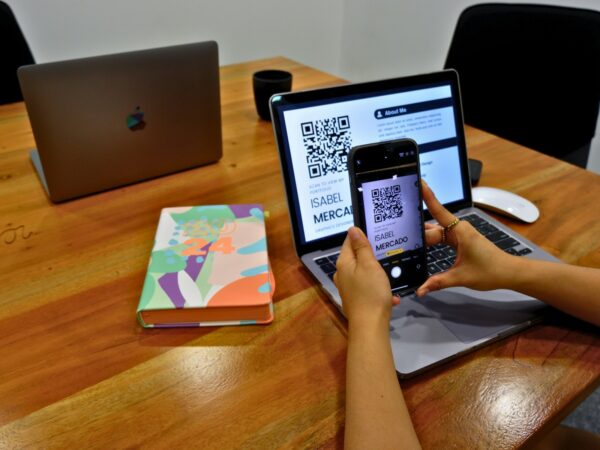
A QR code is an image that a phone can read as a web link. Put them on posters, signs and screens, and link them to maps, offers, website pages, events or schemes, so a printed sign becomes a live route into your content.
Guests can log in with their booking, so the app can show content and offers that suit their stay. Logins use access permissions so that only authorised guests or owners see the content meant for them. Logging in with a booking needs your app linked to your property management system (PMS).
Segments let you show different things to different groups, by booking, stay type or behaviour. A returning guest and a first-timer do not need the same welcome. The Help Centre guide to your CMS explains how segments are created and managed.
Everything is managed from one place, with your branding front and centre, so your team updates content once. Roles and permissions let the right people edit safely.
A guest books, logs in and sees arrival information. A sign on the wall carries a QR code to the site map. A quiet weather update goes out by push. A returning guest sees a different welcome from a first-timer. None of it is complicated on its own. The value is in having all of it in one app, run from one CMS.
The Help Centre covers push notifications, the CMS, offers and content blocks.
Related: Guest app


Direct to Guest (D2G) marketing means using your own channels, the app, screens, website and staff, to look after guests before, during and after their stay.
Read more

A practical guide to push notifications for holiday parks, glamping sites and resorts: what you can send now, when to send it, and how to write short titles guests tap.
Read more
Direct to guest marketing means talking to your guests through your own tools, without relying on OTAs or booking engines. See what it includes and why it matters on site.
Read more