

Holiday home buyers browse in many places. See how enter-once publishing in your Holidaymaker CMS sends homes to your screens, app and sales sites, with health checks for accuracy.
Updated 4 October 2026
On this page
Buyers look for a holiday home in several places before they ever visit a park. If your homes for sale are listed in one spot, or typed in again for each site, you lose reach and your team loses time.
A channel manager fixes both. You enter each home once and publish it to the places buyers look. Here is how it works in Holidaymaker and what to check before you start.
Your homes for sale live as records in the Holidaymaker CMS. From there they can be published to your own surfaces, such as signage, kiosks and the app, and to third-party websites dedicated to home sales. You keep one set of details, so a price change or a new photo is made once.
The Help Centre lists the available homes-for-sale channels and how each one connects.
When you edit a home for sale record, you will see a Channel Manager field group. It shows which channels are available on your system and lets you control where that home publishes. Match the home to the buyer: a static caravan suits Caravan4You, a lodge or residential unit suits Sell My Group.

The best listings are complete, and the system helps you get there. With the Sell My Group module enabled, anything that would stop a home publishing shows as a record error, and gaps show as warnings.
A Sell My Group audit page shows what is due to publish or delete at the next sync, lets you apply changes straight away, spots orphan homes, and offers a full sync when you need one. For a single home you can compare what was sent with what is live. See the Help Centre guide to the health check and audit.
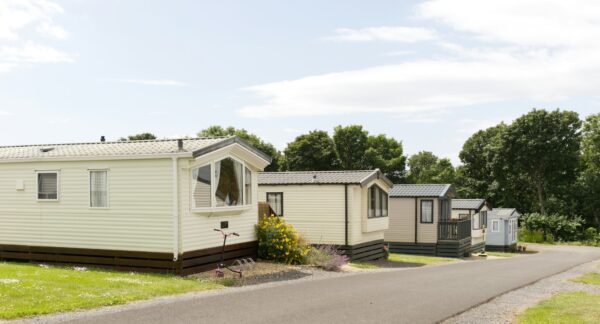
The channel manager is an integration on your Holidaymaker system, and homes for sale are records in the CMS. The Help Centre pages linked above explain how each channel connects.
Related: Holiday parks and resorts
Related reading: turning guests into holiday home owners.
Cover photo by Janek Valdsalu on Unsplash

Ask us how listings reach your screens, app and sales sites.
Ask a question
See how Seeview turns the TVs, kiosks and displays at your venue into smart signage guests can use, so your team repeats less and every guest sees the same offers.
Read more

A mobile concierge app puts what a guest needs for their stay on their phone, from maps to offers. See what it does and how it helps your team.
Read more
Showing homes for sale is not enough, because guests buy into the whole park experience. A guest app keeps them engaged and makes holiday home enquiries easier to start.
Read more