

A practical guide to push notifications for holiday parks, glamping sites and resorts: what you can send now, when to send it, and how to write short titles guests tap.
Push notifications are often overlooked. Used well, they are one of the simplest ways to look after guests during a stay.
Whether you run a holiday park, glamping retreat, camping site, coastal resort or short-stay accommodation, your team is juggling limited time, changing weather and a guest experience that starts long before check-in. A push notification lets you reach guests at the moment it helps them most.
A push notification is a short, tappable message that appears on a guest’s home or lock screen, like a text or email alert. They see it, and they can act on it. Tapping one takes the guest into your app.
For parks managing accommodation, activities and events, pushes help you:
The app has to be on the guest’s phone first, so promote it before guests arrive and the relationship is there from day one. When a guest installs your app, they are asked whether they want to receive notifications. If they say yes, you can message them even when the app is closed.
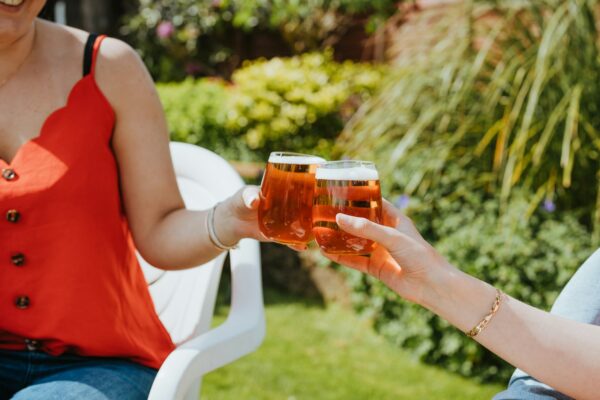
A good notification helps the guest. Photo by Jonas Leupe on Unsplash.
For now, push notifications in the Holidaymaker app are for informational messages only. You can send helpful, informational messages about a guest’s stay and your park, but you cannot send marketing or promotional messages at the moment.
The reason is simple. The app can’t yet tell a marketing message from an informational one. Apple and Google only allow marketing notifications where the guest has clearly agreed to them and can easily turn them off, and UK marketing law (PECR and GDPR) needs specific permission too. The app doesn’t yet capture that separate agreement. The Information Commissioner’s Office (ICO) says a service message is not direct marketing if it only gives administrative information and promotes nothing, but adding advertising turns it into marketing.
The Holidaymaker team
The common thread: the message is there to inform or look after the guest, not to sell to them.
Is this here to help the guest, or to sell to them? If it’s to help, it is informational, so send it. If it’s to sell, or to encourage them to spend or book, hold off. When in doubt, treat it as marketing and check with the Holidaymaker team first.
Watch the goodbye message in particular. “We hope you enjoyed your stay” is fine. Add “book again and save 10%” and it has become marketing, and must not be sent.
Rule of thumb: if it helps the guest, send it. If it sells, or encourages them to spend or book, hold off and check with the Holidaymaker team first.
A push has to land at the right moment. Too soon and the guest forgets. Too late and the moment has passed. Very late at night or very early in the morning is unlikely to help. These are starting points, so test them and adjust:
If you’re not sure where to begin, start with one well-timed push a day and build up as your activities, events and news allow.
Good pushes are short, clear and useful. Five habits help:
A well-placed emoji can add clarity or personality, so don’t overdo it. Pushes are for guiding guests to act, quickly, in the moment. They aren’t for storytelling.
The title is the bold line guests see first, and often the only part they read. Keep it short, and lead with what helps:
Each of these informs the guest rather than sells to them:
Permission-based marketing notifications are in development. They need development work first, and we will let clients know when they are available.
You don’t need a new system to do this well. You need a little timing and the right tools. You send notifications from your Holidaymaker CMS, and your Account Manager or Client Services team can go through it with you. Read the Help Centre guide to sending notifications, see what a mobile concierge app is, or email us with any questions.
Cover photo by Jonas Leupe on Unsplash.

If you would like to talk through what to send and when, ask us a question and we will share what works well.
Ask us a question
Staff are stretched and guests expect more from technology. See how a branded guest app keeps guests informed, cuts paper and repeat questions, and promotes events and offers.
Read more

Practical ways to get more guests downloading and using your park app, from your website and emails to staff, reviews, social, PR and competitions.
Read more
See how a branded park app helps you share information, send timely notices and hear back from guests, so they queue less at reception and enjoy their stay more.
Read more